'%3e%3cpath%20fill='white'%20d='M12.2178%205.26343L15.3569%2012.7053L17.4812%2010.5404L12.2178%205.26343Z'%3e%3c/path%3e%3cpath%20fill='white'%20d='M5.27696%2022.7721L22.7721%205.27696L17.4951%200L0%2017.4951L5.27696%2022.7721Z'%3e%3c/path%3e%3cpath%20fill='white'%20d='M12.2178%205.27696L29.7129%2022.7721L34.9899%2017.4951L17.4947%200L12.2178%205.27696Z'%3e%3c/path%3e%3cpath%20fill='white'%20d='M54.9618%206.25116C55.4353%204.70867%2055.8413%203.38266%2056.2201%202.05666H56.3419C56.7478%203.40972%2057.1267%204.76279%2057.695%206.31881L60.0087%2013.8013H52.5533L54.9618%206.25116ZM54.3529%200.270613L47.1816%2022.4068H49.766L51.8227%2015.9662H60.7258L62.7825%2022.4068H65.4886L58.2768%200.270613H54.3529ZM79.2764%2022.4474H81.8066V2.55729H87.6789V0.270613H73.4041V2.5167H79.3034L79.2764%2022.4474ZM100.181%2022.4474H102.711V0.270613H100.181V22.4474ZM119.408%2011.271C119.408%204.38393%20121.749%202.27315%20125.348%202.27315C128.947%202.27315%20131.41%204.57336%20131.41%2011.5011C131.41%2018.4288%20129.11%2020.4989%20125.443%2020.4989C121.776%2020.4989%20119.408%2018.1852%20119.408%2011.271ZM133.994%2011.271C133.994%203.15264%20130.774%200%20125.524%200C120.274%200%20116.702%203.31501%20116.702%2011.5011C116.702%2019.6871%20119.895%2022.7721%20125.172%2022.7721C130.449%2022.7721%20133.94%2019.4571%20133.94%2011.271H133.994ZM152.937%2020.4989C150.862%2020.5138%20148.851%2019.7732%20147.281%2018.4152L145.793%2020.4313C147.733%2022.0331%20150.193%2022.8661%20152.707%2022.7721C157.443%2022.7721%20160.095%2019.9983%20160.095%2016.6427C160.095%209.87738%20149.541%2010.8922%20149.541%205.81818C149.541%203.80211%20151.084%202.3408%20153.681%202.3408C155.259%202.31464%20156.794%202.85197%20158.011%203.85624L159.554%201.89429C157.923%200.632155%20155.905%20-0.0274889%20153.844%200.0270606C149.866%200.0270606%20146.984%202.61141%20146.984%205.96702C146.984%2012.9488%20157.538%2011.8123%20157.538%2016.7915C157.443%2018.8482%20155.833%2020.4989%20152.829%2020.4989H152.937Z'%3e%3c/path%3e%3c/g%3e%3cdefs%3e%3cclipPath%20id='clip0_1060_39'%3e%3crect%20fill='white'%20height='22.7721'%20width='160'%3e%3c/rect%3e%3c/clipPath%3e%3c/defs%3e%3c/svg%3e)
 Christina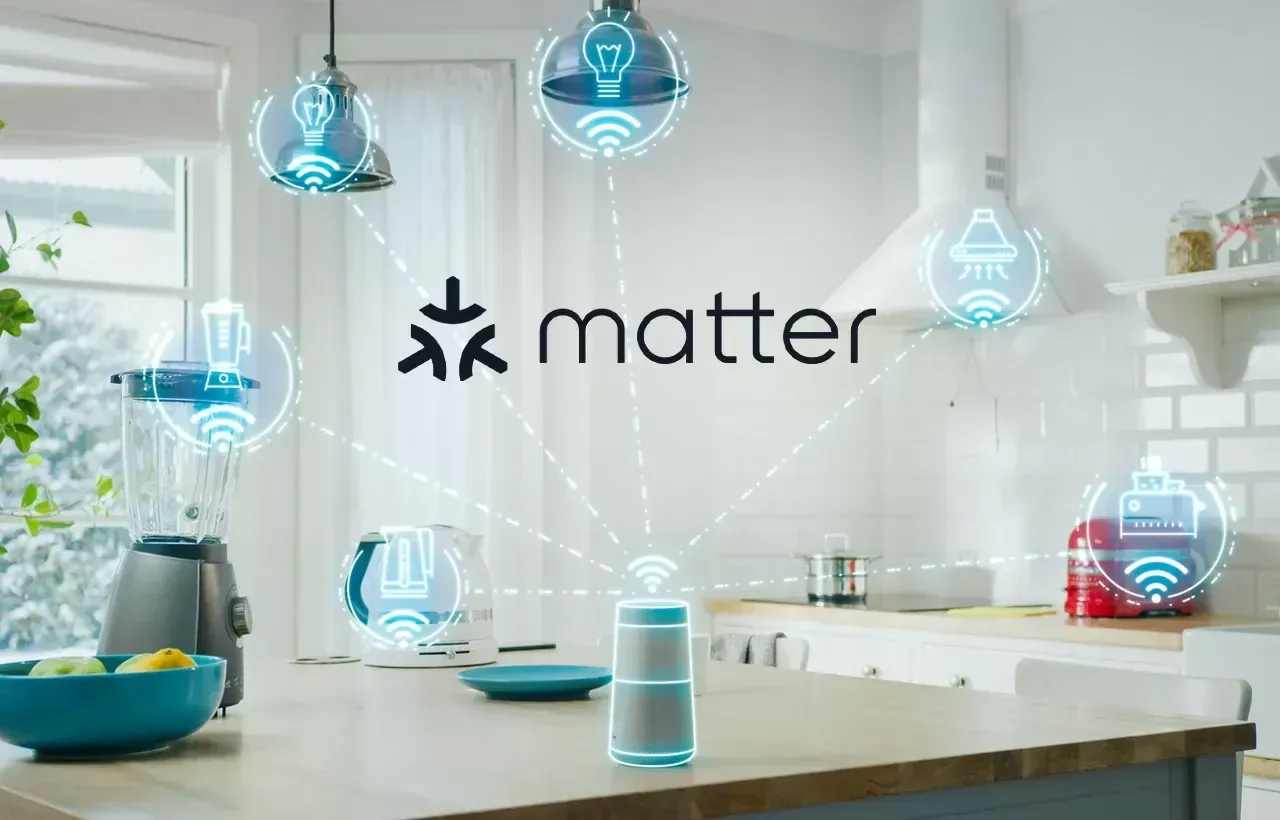
On this page
What is Matter?
Think of Matter as a universal language for smart home devices. Just like how people from different countries need a common language to communicate, smart home devices need a way to talk to each other. Matter is that common language.
The Problem Matter Solves
Before Matter, smart home devices spoke different languages. You might know some of them:
- KNX: A professional building automation protocol used in commercial and high-end residential installations
- DALI: A specialized lighting control protocol (DALI-2 also includes control devices like sensors)
- Zigbee, Z-Wave, Wi-Fi: Various wireless protocols used by consumer smart home devices
These systems couldn't talk to each other. Your KNX switch could not communicate with your Philipps Hue lights. Each needed its own app, and nothing worked together.
Matter changes this. It's a unified protocol that acts as a common language, allowing all these different systems to be controlled in one app only.
How Matter Brings Everything Together
A Matter Bridge translates different protocols (for example KNX and DALI) into Matter. Once translated, everything appears in Matter-compatible apps like Apple Home or Google Home.
Those same Matter apps can also control native Matter devices: take your Sonos soundbar, robot vacuum or smart plugs for example.
The result: Your professional building automation system and your consumer smart home devices all show up in the same app, even though they are completely separate systems.
There are several Matter-compatible apps you can use to control smart devices: Apple Home (iOS/macOS), Google Home (Android/iOS), Amazon Alexa (Android/iOS), Samsung SmartThings (Android/iOS), Home Assistant (open-source platform), and Homey Pro (dedicated hub with app).
For example: You could create a "Movie Time" scene in Apple Home that switches off your KNX-controlled ceiling lights, turns on your DALI LED strip behind the TV, and turns your Sonos soundbar up to the right volume.
Key Advantages
- Cross-platform compatibility: Matter works with Apple Home, Google Home, Amazon Alexa, and Samsung SmartThings
- Local communication: Devices talk directly to each other on your home network without needing the cloud
- End-to-end encryption
- Unified control: Professional building automation and consumer devices in one app
How Matter Communicates
Matter is a protocol that can be transmitted over different channels:
- Wi-Fi: wireless connection to your home network
- Ethernet: Wired network connection
- Thread: Low-power wireless mesh network
Think of it like having a conversation: you can talk to someone in person (Wi-Fi/Ethernet) or over the phone (Thread). The language is the same, just the delivery method changes.
Understanding the Key Terms
Before we go further, let's explain a few important concepts:
Matter Controller
A Matter Controller is the device that manages your smart home and provides the interface (app) you use to control things. Think of it like a TV remote control, it's the device you use to control everything else.
Examples: Apple HomePod, Google Nest Hub, or Amazon Echo
Matter Bridge
As mentioned before, a Matter Bridge is a translator. It takes information of devices that don't speak Matter natively (like devices of KNX or DALI systems) and translates them into Matter so they are understood by apps like Apple Home, Google Home, and other platforms.
Atios KNX Bridge:
Your DALI lights connect to the KNX system through the built-in DALI gateway, making them controllable via the KNX bus. The Matter bridge then translates the entire KNX system into Matter language. Now all your lights, blinds or outlets appear in Apple Home or any other Matter app.
Now you can add any Matter-compatible device to that same app: your sound system. Philipps Hue light and other consumer gadgets.
Important to note: These Matter devices aren't part of your KNX system. But they show up in the same app, so you can control everything together.
Atios SmartCore:
SmartCore works similarly. Lights, blinds, and sensors connected to its inputs and outputs, as well as anything on the DALI bus, get translated into the Matter protocol. Now you can control them with one of the Matter apps.
Multi-Admin
Multi-Admin means you can control the same device from multiple platforms at once.
Example: You can add your lights to both Apple Home and Google Home. You can use Siri on your iPhone in the morning and Google Assistant on your Nest Hub in the evening—both controlling the same lights.
Important note: While the device itself works with both platforms, your automations and scenes don't transfer between them. If you create a "Good Morning" scene in Apple Home, you'll need to recreate it separately in Google Home if you want it there too.
Advantages of Matter Apps
Voice Control: Ask Siri, Google Assistant, or Alexa to control your lights, blinds, or heating.
Remote Control: Control your home from anywhere in the world through your smartphone, as long as you have internet access.
Shared Access: Give family members or house guests access to control your smart home through their own phones.
Scenes & Automations: Create custom scenes like "Good Morning" (open blinds, turn on lights, adjust heating) or automations that trigger based on time, location or sensor events.
What Do You Need to Use Matter?
To use Matter devices in your home, you need a Matter Controller. Here are the most common options:
If You Use Apple Home:
- Apple HomePod (any version)
- Apple HomePod Mini
- Apple TV 4K
If You Use Google Home:
- Nest Hub (2nd generation)
- Nest Hub Max
- Google Nest Wifi Pro
If You Use Amazon Alexa:
- Echo (4th generation)
- Echo Hub
- Echo Show 8 (3rd generation)
If You Use Samsung SmartThings:
- Samsung SmartThings Station
- Samsung SmartThings Hub v3
- Aeotec SmartThings Hub
Other Options:
- Home Assistant (with compatible hardware)
- Homey Pro
Setting Up Atios with Matter
Setting up your Atios KNX Bridge or SmartCore with Matter is straightforward:
- Make sure it's connected: Your Atios device needs to be on your network
- Configure your devices: Set up all your KNX and DALI lights, blinds, and other devices in the Atios web interface first
- Open your smart home app: Apple Home, Google Home, or whichever platform you use
- Add a new device: Look for "Add Device" or "Add Accessory" in the app
- Scan the QR code: Scan the Matter QR code in System Settings of the Atios web interface
- Add other Matter devices: You can add any other Matter-compatible devices to the same app by scanning the QR code on the device
For detailed step-by-step instructions, check our documentation.
Common Questions
Do I need internet for Matter to work? No. Matter devices communicate locally on your home network. You only need internet if you want to control things remotely or for firmware updates.
Can I use multiple smart home apps at once? Yes, thanks to Multi-Admin. You can have the same lights in both Apple Home and Google Home and control them from either one.
What if I already have a KNX system? Perfect! The Atios KNX Bridge adds Matter support to your existing KNX installation without changing anything about how your system works. Your KNX switches keep working exactly as before, Matter just adds extra control options.
Can I add non-KNX devices to my Matter app? Absolutely. You can add any Matter-compatible device to the same app.
Are Matter devices part of my KNX system? No. When you add a Matter device like a Sonos speaker to your Apple Home app, it's not connected to your KNX system. They just both appear in the same app for unified control.
Bottom Line
Matter makes smart homes simpler by creating a common language that all devices can speak. For professional building automation systems like KNX and DALI, Matter bridges translate your installation into this universal language, making it accessible through consumer smart home apps.
The real power comes from integration: your professional lighting, blinds, and heating appear alongside your consumer devices all in one app. Now they're unified in control, letting you create scenes and automations that span your entire home.
With Atios KNX Bridge or Atios SmartCore, you get the best of both worlds: the reliability and flexibility of professional building automation combined with the convenience and usability of consumer smart home platforms.
Continue reading
Why Are We Passionate About Matter?
An engineering team’s honest answer.

You Designed the Customer Journey. Don’t Forget the Staff Journey.
A retail automation system is only as good as the experience of the people who use it every day.

The Home Office That Feels Like a Porsche Cockpit
Lighting, climate, one gesture.